



Spotify Premium APK Explained: Is It Official, Safe, and Worth Using?
If you searched for Spotify Premium APK, you probably want Premium-style features without paying the regular subscription price. You may also be wondering whether these APKs are real, official, or safe to use.
The confusing part is that many websites use Spotify’s name while offering modified Android apps. So before trusting one, you need to understand what the term means, what these files claim to do, and what risks come with using software that Spotify does not distribute.
Quick Answer
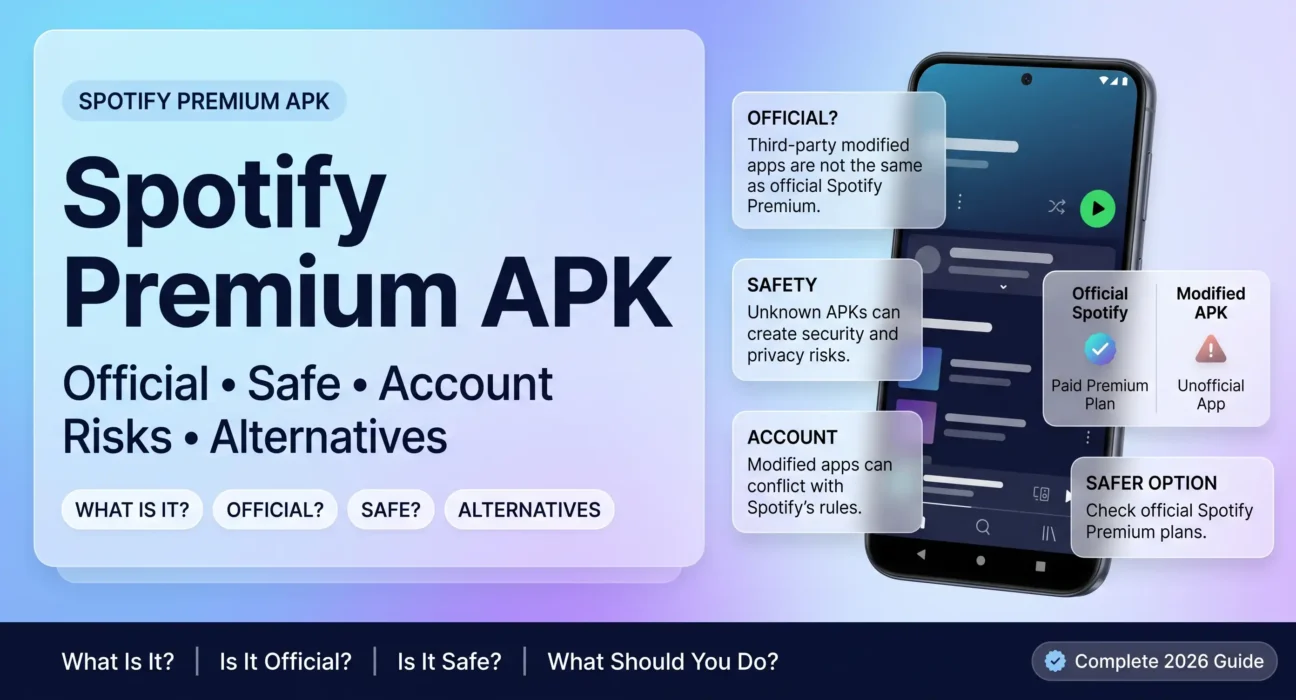
Spotify Premium APK usually refers to an unofficial modified Android application that claims to unlock Spotify Premium-style features. It is different from Spotify’s official Android app and an official Spotify Premium subscription.
The word APK only describes an Android application package. It does not prove that an app is official, safe, or approved by Spotify.
Spotify’s official service is governed by its own terms and usage rules, while third-party modified applications are outside Spotify’s normal distribution and support process.
If you are trying to decide whether a specific APK is trustworthy, the most important questions are who created it, where it came from, what was changed, and whether you can verify those changes.
Before You Continue
Are you trying to figure out what a Spotify Premium APK actually is?
Are you wondering whether an APK claiming to unlock Premium is genuine?
Maybe you already found a download page and want to know whether its claims can be trusted.
Or perhaps you installed a modified version and now want to understand the possible consequences.
This guide breaks those questions down step by step so you can distinguish the official Spotify service from modified APKs, understand the claims surrounding them, and make a safer decision about what to do next.
What Is Spotify Premium APK?

A Spotify Premium APK is generally the term used for a modified Android application package that claims to provide Premium-style Spotify features without the normal Premium subscription.
To understand the term, you need to separate two things: APK and Premium.
What Does APK Mean?
APK stands for Android Package Kit.
It is the file format Android uses to package and install applications.
So, the word APK itself is not suspicious.
Many completely legitimate Android applications are distributed as APK files.
The important question is who created and signed the particular APK.
An APK downloaded from an official distribution channel is different from a modified package uploaded by an unrelated third party.
What Does “Premium APK” Usually Mean?
When websites use phrases such as Spotify Premium APK, Spotify Mod APK, or Spotify Premium Mod, they generally mean a modified version of the Spotify Android application.
These versions may claim to unlock features normally associated with Premium.
Common claims include:
- Fewer or no advertisements.
- Unlimited skips.
- On-demand playback.
- Offline listening.
- Higher audio-quality options.
- Other Premium-style restrictions being removed.
Third-party pages currently advertise these types of modifications, but their claims should not be confused with an official Spotify Premium subscription.
Why Is It Called a Modified APK?
A modified APK has been changed from the software originally distributed by its developer.
That change could involve removing certain components, altering app behavior, or adding other code.
The exact changes depend on the particular file.
This matters because two files carrying the same Spotify version number do not necessarily contain the same code.
A version label alone cannot tell you whether a file has been changed or whether it came from Spotify.
Spotify Premium APK vs Spotify Premium
These terms sound similar, but they are not the same.
Spotify Premium is Spotify’s official paid subscription service.
Spotify Premium APK generally refers to an unofficial modified application claiming to reproduce some Premium functionality.
That distinction is the foundation for understanding the rest of this topic.
If your goal is simply to get Spotify Premium features, an unofficial APK is not the same thing as purchasing Premium through Spotify.
Is Spotify Premium APK Official or Genuine?
This is one of the most important questions because a professional-looking APK website can make an unofficial application appear official.
In general, a file described as a Spotify Premium Mod APK should not be treated as an official Spotify Premium release simply because it uses Spotify’s name, logo, version number, or branding.
How Official and Modified Apps Differ
An official Spotify application comes through Spotify’s supported distribution channels and is controlled by Spotify.
A modified APK is changed and redistributed by someone else.
That difference affects several things:
- Who controls the software.
- Who provides updates.
- Who signs the application.
- Who is responsible for security.
- Whether Spotify supports the installation.
- Whether the application follows Spotify’s service rules.
Spotify’s own terms govern use of its service and software.
Why a Version Number Does Not Prove Authenticity
You may see a third-party page advertising a specific Spotify version number.
That can look convincing.
But a version number only identifies what the distributor claims about the build. It does not independently prove that the file is an untouched Spotify package.
A third party can distribute a modified build using a version number associated with an original release.
Current discussions of modified Spotify packages specifically warn that version labels alone are not enough to establish who created a file or what code it contains.
What Does “Mod,” “Unlocked,” or “Premium” Tell You?
Words such as Mod, Unlocked, Cracked, or Premium are useful clues about how a third-party website is positioning the application.
They do not mean Spotify has approved the file.
For example, a page may advertise:
“Spotify Premium Unlocked”
That is a claim made by the distributor.
It is not proof that Spotify created, verified, or supports that application.
How Can You Check the Source?
Before trusting an Android application, start with its distribution source.
Ask:
- Who published the application?
- Where did the file come from?
- Does the publisher have a verifiable identity?
- Is the application being distributed through an official channel?
- Does the developer information match the expected publisher?
- Is the file being described as modified or unlocked?
- Are security claims supported by independent evidence?
A website’s statement that an APK is “100% safe” should not be treated as independent verification.
The same principle applies to claims such as “official,” “verified,” or “virus-free.”
What Features Do Spotify Premium APKs Claim to Offer?
The appeal of these applications is straightforward.
People usually search for them because they want features associated with Spotify Premium without paying the normal subscription price.
Third-party listings commonly advertise features such as ad-free listening, unlimited skips, on-demand playback, offline functionality, and enhanced audio options.
But there is an important distinction:
A feature advertised by an APK distributor is a claim about that particular modified application. It is not proof that the feature will work reliably or that Spotify authorizes it.
Ad-Free Listening Claims
Many modified APK pages advertise an experience without Spotify advertisements.
That is one of the main reasons people search for these applications.
However, whether a modification actually removes every type of advertisement can depend on how the particular build works and whether Spotify changes its service.
A claim on a download page is therefore not the same as a guarantee.
Unlimited Skip Claims
Some listings claim to remove skip restrictions associated with free listening.
Again, this is a modification-specific claim.
Spotify can change how playback and account features work on its servers, meaning an altered application may not behave consistently over time.
On-Demand Playback Claims
Some modified versions claim that users can choose tracks directly instead of following restrictions associated with the free experience.
The important point is that these are Premium-style feature claims, not evidence that the user’s Spotify account has actually become a Premium account.
Offline Listening Claims
Offline listening is another commonly advertised feature.
However, official Spotify offline functionality is tied to Spotify’s supported service and subscription rules.
A modified application claiming to reproduce that behavior should not automatically be assumed to provide the same functionality, reliability, or support as official Spotify.
Why Advertised Features May Change
Modified applications are not controlled by Spotify.
If Spotify changes its app, authentication systems, APIs, or server-side behavior, an unofficial modification may stop working correctly.
That is why an APK described as “working” today may behave differently later.
A current third-party guide also notes that modified Spotify applications can become unreliable after official updates.
Is Spotify Premium APK Safe to Install?
There is no reliable one-word safety answer for every Spotify Premium APK.
The safety of a particular file depends on what it contains, who modified it, how it was distributed, and whether its code can actually be verified.
That is different from saying that every modified APK definitely contains malware.
Why Modified Apps Create Extra Risk
With an official application, users have a clearer chain of responsibility.
The developer controls the published software and its updates.
With a modified APK, another party has changed the original application.
That creates an additional trust problem:
How do you know exactly what was changed?
You may know what the website claims was changed.
You may not know everything that was actually changed inside the package.
Malware Is a Possibility, Not Something to Assume
An unofficial APK can potentially contain unwanted or malicious code.
Security researchers have documented specific modified Spotify APKs containing injected code and other suspicious components. For example, one published forensic analysis of a particular Spotify mod reported injected code, networking behavior, device fingerprinting, and other modifications.
That finding applies to the specific APK analyzed, not automatically to every APK using the Spotify name.
This distinction matters.
A responsible guide should not say:
“Every Spotify Premium APK contains malware.”
The evidence does not support such a blanket statement.
The more accurate point is:
A modified APK introduces an extra security risk because the user cannot assume the package contains only the original developer’s code.
Why “100% Safe” Claims Are Not Enough
A third-party website may describe its APK as:
- 100% safe.
- Virus-free.
- Tested.
- Verified.
- Secure.
- Original.
Those are claims made by the distributor unless independently supported.
A polished website does not prove the integrity of the file.
Likewise, a successful installation does not prove that the application is safe.
Permissions Matter
Android permissions can provide useful clues about what an application wants to access.
If a modified music application asks for permissions that appear unrelated to its normal function, that deserves additional scrutiny.
You should pay particular attention before granting access to sensitive areas such as:
- SMS.
- Contacts.
- Accessibility features.
- Device administration.
- Files and media.
- Microphone.
- Location.
The exact permissions available depend on the Android version and application design.
The important principle is simple:
Do not grant sensitive permissions automatically just because an APK claims to unlock Premium features.
Your Login Information Also Matters
A modified application may ask you to sign in with your Spotify credentials.
That creates an additional concern because you are entering account information into software that Spotify did not distribute.
If the application has been altered in an unsafe way, your credentials could potentially be exposed.
That does not mean every modified application steals passwords.
It means the user has less ability to verify what happens to sensitive information inside software distributed outside the official channel.
Can a Spotify Mod APK Affect Your Spotify Account?
Yes, there is an account-related concern because Spotify’s rules place restrictions on modifying and circumventing aspects of its service.
Spotify’s User Guidelines prohibit activities including modifying, reverse-engineering, decompiling, and circumventing certain protections. The guidelines state that violations may result in suspension or termination of an account.
What Spotify’s Rules Actually Mean
The important point is not simply that an application is called an APK.
The issue is what the modified software does.
An ordinary Android application package is just a software format.
Spotify’s restrictions concern activities involving its service, including unauthorized modification and circumvention.
Therefore, you should not treat “APK” and “account violation” as synonymous.
Could an Account Be Suspended?
Spotify’s guidelines state that violations can result in suspension or termination.
That means using software that violates the applicable rules can create an account risk.
However, you should not assume that every user of every modified application will automatically receive the same enforcement action.
The safest factual statement is that Spotify reserves enforcement options under its rules, and users of modified clients should understand that risk before signing in.
Why Your Main Account Matters
Your Spotify account may contain years of playlists, saved tracks, follows, listening history, and other personal data.
If access to the account becomes restricted, the consequences can be more frustrating than simply losing access to an APK.
This is one reason account considerations deserve separate attention from ordinary device-security concerns.
A Mod APK Is Not the Same as a Premium Subscription
Even if a modified application appears to unlock Premium-style functions, that does not mean your Spotify account has actually been upgraded to an official Premium subscription.
The application and the subscription are separate concepts.
That distinction becomes especially important when evaluating claims made by third-party APK websites.
Is Spotify Premium APK Legal to Use?
The word APK itself does not mean something is illegal.
APK simply refers to the Android application package format. The bigger issue is what the app contains, how it was modified, and how it is being used.
A Spotify Premium APK advertised online is often a modified version of the official app. It may attempt to unlock Premium-style features without an active Premium subscription.
Spotify’s current User Guidelines prohibit modifying, reverse-engineering, or decompiling its services except where applicable law permits it. The guidelines also prohibit circumventing technology used by Spotify or its partners, including measures related to advertisements and access restrictions.
That creates an important distinction:
- Downloading an APK file is not automatically illegal.
- Using an unofficial modified app can conflict with Spotify’s rules.
- Local laws can differ from Spotify’s contractual terms.
- Copyright and software laws may apply differently by country.
- The exact legal position depends on what was modified and how the software is used.
So, it is too broad to say that every Spotify Premium APK is illegal everywhere.
A more accurate statement is that modified Spotify applications can violate Spotify’s terms, while the legal consequences depend on the circumstances and applicable local law.
Terms and law are not the same thing
Spotify’s rules govern your use of its service.
Local law is a separate matter.
For example, Spotify can restrict or suspend an account for violating its rules even when a particular activity is not automatically a criminal offense under local law. Spotify states that violations of its User Guidelines can result in content removal and/or account suspension or termination.
That distinction matters when researching claims about “legal Spotify Premium APKs.”
A website saying that an APK is “100% legal” does not override Spotify’s own terms or the laws that apply where you live.
Why Are There So Many Spotify Premium APK Versions?
If you search for Spotify Premium APK, you may see dozens of different version numbers.
That can make the whole topic confusing.
You might see listings such as:
- Spotify Premium APK latest version
- Spotify Premium APK old version
- Spotify Mod APK
- Spotify Premium Mod
- Spotify APK unlocked
- Spotify Premium APK 2026
- Spotify Premium APK for Android
- Spotify Premium APK no ads
These names do not necessarily represent different official Spotify products.
Third-party websites often create their own labels
An unofficial website can rename or describe a modified application however it wants.
A newer-looking version number does not automatically prove that the file came from Spotify.
It also does not prove that the file is safe.
Two APKs carrying similar version labels can potentially contain different modifications, different code, or different bundled components.
Older versions can remain online
When an app receives updates, old APK files can continue circulating.
Some websites keep old builds because users search for them. Others publish modified builds based on older official versions.
This can create a cycle where an old file is advertised as “stable” or “working,” even though the official Spotify service has changed.
Updates can break modified apps
Spotify can change its service, authentication systems, app behavior, or technical requirements.
A modified app may depend on behavior that later changes.
That can lead to problems such as:
- Login failures
- Playback problems
- Features suddenly disappearing
- App crashes
- Forced updates
- Compatibility errors
- Repeated sign-outs
This is one reason a “latest APK” label should not be treated as proof of authenticity.
Version numbers are not a security test
A version number tells you something about how a file is labeled.
It does not independently verify:
- Who created the file
- Whether the code was modified
- What permissions it requests
- Whether additional code was inserted
- Whether it communicates with unknown servers
- Whether it has been safely analyzed
So when evaluating a Spotify Premium APK, source and verification matter more than the number in the filename.
What Should You Do If You Already Installed a Spotify Mod APK?
If you already installed one, there is no need to panic.
The safest approach is to reduce the app’s access to your account and device, then return to the official Spotify application.
1. Stop using the modified app
If the app came from an unknown third-party source, avoid continuing to log in or enter additional information into it.
This is especially important if you are unsure who created or modified the package.
2. Consider changing your Spotify password
If you entered your Spotify credentials into an untrusted application, changing your password through Spotify’s official account system is a sensible precaution.
If you reused the same password on other important accounts, consider changing those passwords too.
Use unique passwords for important services whenever possible.
3. Remove the unofficial application
Uninstall the modified application from your device.
Removing it prevents that specific application from continuing to operate on the device.
However, uninstalling an app does not automatically undo information that may already have been entered or transmitted.
That is why account security matters if you logged in through an untrusted app.
4. Install Spotify from an official source
After removing the modified version, use Spotify’s official distribution channels rather than another third-party APK website.
This gives you a clearer chain of trust and makes normal updates easier to manage.
5. Check your device for unusual behavior
Pay attention to anything unusual after installing an unknown application.
For example:
- Unexpected pop-ups
- Unusual battery drain
- Strange notifications
- Unknown applications
- Suspicious account activity
- Unexpected browser behavior
- Excessive data usage
These signs do not automatically prove malware, but they are worth investigating.
A reputable mobile security tool can also help check the device.
6. Do not follow “disable security” instructions
Be particularly cautious if an APK website tells you to disable Android security features before installation.
A warning from your device should not automatically be treated as an obstacle that needs to be bypassed.
Security warnings exist because the system has detected something that deserves attention.
How Can You Get Spotify Premium Without a Mod APK?
If your main goal is to get the Premium experience without paying the normal full Individual price, check Spotify’s official plans first.
Spotify currently lists several Premium options in Pakistan, including Individual, Student, Duo, and Family plans. The exact offers and prices can change, so the official Premium page is the best place to verify the current deal.
Spotify Premium Individual
Spotify’s Pakistan page currently lists Premium Individual at Rs 379 per month after the displayed introductory offer.
The page also shows a prepaid option, which can work differently from a recurring subscription.
Spotify Premium Student
Eligible students can currently get a student plan at Rs 199 per month after the displayed introductory period.
Spotify says eligibility requires enrollment at an eligible accredited higher-education institution, and student status is verified.
This can be useful if you are genuinely eligible.
You should not rely on websites claiming to provide fake student verification or modified Premium access.
Spotify Premium Duo
Spotify currently lists Premium Duo at Rs 519 per month for two people who live at the same address.
Each person gets a separate Premium account rather than sharing one login.
That means your playlists, recommendations, and listening activity can remain separate.
Spotify Premium Family
Spotify’s Pakistan Premium page currently lists Family at Rs 679 per month for up to six Premium accounts, subject to the plan’s eligibility rules.
The important point is that Family is not simply a way to distribute one account among random users.
Spotify’s terms specify residence requirements for the people joining the Family plan.
Spotify Free
You can also continue using Spotify’s official Free service if Premium is outside your budget.
You may not get every Premium feature, but you avoid the uncertainty associated with installing an unofficial modified application.
Check offers before paying
Spotify periodically displays introductory offers and regional pricing.
For example, the current Pakistan Premium page shows promotional pricing that is different from the regular monthly prices. These offers have eligibility requirements and expiration dates, so check the official page immediately before subscribing.
FAQ About Spotify Premium APK
Can an APK be official without coming from Spotify?
An APK can be a legitimate Android application package, but the file’s source still matters.
If a website distributes a modified Spotify APK, the fact that it uses the APK format does not make it an official Spotify application.
Check the source and the application’s authenticity instead of relying only on its filename.
Why can a Spotify Mod APK stop working after an update?
A modified application can depend on technical behavior that changes when Spotify updates its service or official app.
Authentication, compatibility, server-side checks, or other technical changes can make an unofficial modification stop working.
That is why a mod APK advertised as “working today” may behave differently later.
Can a modified APK change my actual Spotify subscription?
Installing an unofficial application does not mean Spotify has officially upgraded your account.
A modified app may display or attempt to provide Premium-style features locally, but that does not necessarily mean your Spotify account has an actual Premium subscription.
Your real subscription status should be checked through your official Spotify account.
Does uninstalling a mod APK automatically secure an account?
Not necessarily.
Uninstalling removes the application from your device, but it does not automatically change credentials that you may already have entered.
If you logged into an untrusted application, consider changing your Spotify password and reviewing your account security.
Why should APK version numbers be treated cautiously?
A version number can identify a claimed build, but it does not prove who modified the file or whether the file is trustworthy.
Different websites can distribute different files using similar descriptions.
Treat the source, permissions, provenance, and security evidence as more important than a “latest version” label.
Is Spotify Premium APK the same as Spotify Premium?
No.
Spotify Premium is an official paid Spotify subscription.
A Spotify Premium APK found on a third-party website commonly refers to an unofficial Android application that has been modified to imitate or unlock Premium-style features.
Those are two very different things.
Final Thoughts on Spotify Premium APK
The biggest confusion around Spotify Premium APK comes from the word “Premium.”
An unofficial APK may advertise ad-free listening, offline playback, unlimited skips, or other Premium-style features.
But those claims do not make the application an official Spotify product.
Spotify’s current User Guidelines explicitly restrict modifying its services and circumventing certain protections, and violations can lead to account suspension or termination.
There is also a separate security question.
With an unofficial application, you have to consider where the file came from, who modified it, what code was added, and what information the application can access.
That uncertainty is the key issue.
If you are researching a Spotify Premium APK download, look beyond the promise of “free Premium.”
Check whether the app is official, understand the account and security risks, and compare the cost with Spotify’s current legitimate plans.
For users in Pakistan, Spotify currently offers Individual, Student, Duo, and Family options, with eligibility and promotional terms that can change over time.
In short, knowing what a Spotify Premium APK really is helps you make a more informed choice: an APK file is simply an Android package, while an unofficial modified Spotify APK is a different matter involving source, security, account rules, and Spotify’s terms.